C# and Impacket implementation of PrintNightmare CVE-2021-1675/CVE-2021-34527GiFHUD-Swift
============
progress hud with ability to display gif images implemented with swift
Demo
----
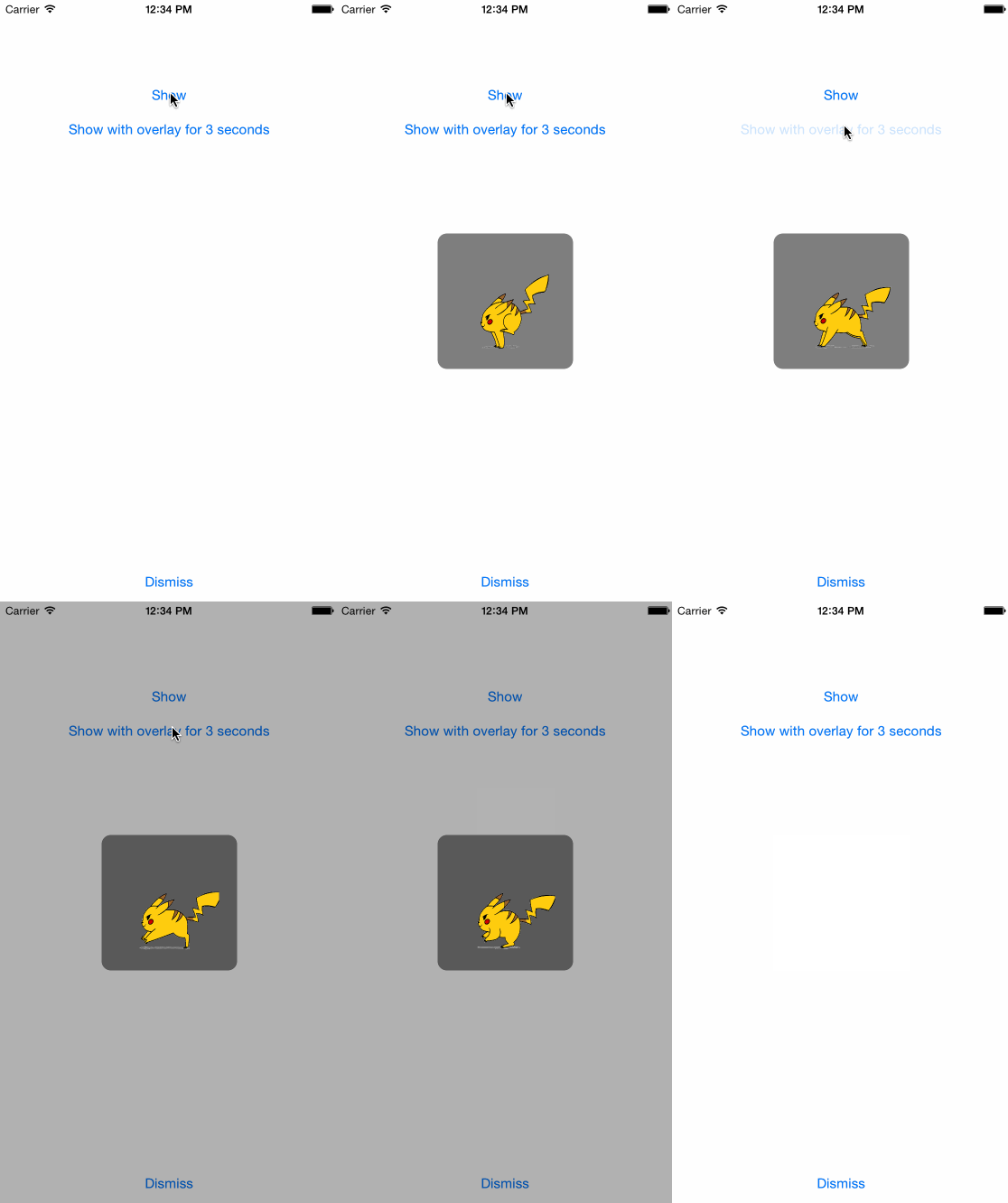
Usage
-----
Copy & paste the GiFHUD.swift to your project. <br>
Add your gif file or image sequance files to your project. <br>
//Setup GiFHUD image
GiFHUD.setGif("pika.gif")
GiFHUD.show()
Thats it ! <br>
Just use `GiFHUD.show()` or `GiFHUD.showWithOverlay()` for showing the hud. <br>
`GiFHUD.dismiss()` for dismissing the hud.
class func setGif (name: String)
class func setGif (bundle: NSBundle)
class func SetGif (images: Array<UIImage>)
You can set your gif with giving its `String` name, `NSBundle` url or `Array` of `UIImage`s.
Optional values
---------------
let Size : CGFloat = 150
let FadeDuration : NSTimeInterval = 0.3
let GifSpeed : CGFloat = 0.3
let OverlayAlpha : CGFloat = 0.3
If you want to customise the looking just edit these values
Extra Settings
---------------
Use `GiFHUD.showForSeconds(3)` if you want show the HUD for a certain time.
Use `GiFHUD.dismissOnTap()` if you want the user to be able to dismiss the HUD with a tap.
Use `GiFHUD.dismissOnSwipe()` if you want the user to be able to dismiss the HUD with a swipe gesture.
Credits
=======
The animated gif to UIImage swift library i used: <br>
https://github.com/kaishin/gifu
Log in to view the POC file snapshot cached by Shenlong Bot
Log in to view