Fix for PrintNightmare CVE-2021-34527# Printnightmare
Fix for PrintNightmare CVE-2021-34527
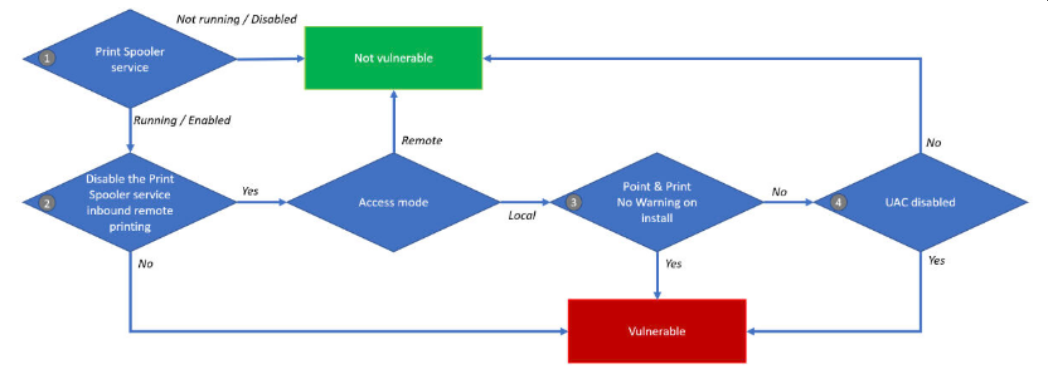
## Run disable-spooler.ps1 file as administrator to disable spooler
```
powershell.exe -executionpolicy bypass -file .\disable-spooler.ps1
```
## For batch disabling, make a server list with the names of all your servers (e.g. serverlist.txt) and run the file disable-spooler.cmd as administrator to disable the spooler on all your servers
```
powershell.exe -executionpolicy bypass -file .\disable-spooler.cmd
```
## Run deny-drivers.ps1 file as administrator to prevent exploits from being installed
```
powershell.exe -executionpolicy bypass -file .\deny-drivers.ps1
```
## Run the allow-drivers.ps1 file as administrator to reactivate driver installation
```
powershell.exe -executionpolicy bypass -file .\allow-drivers.ps1
```
Log in to view the POC file snapshot cached by Shenlong Bot
Log in to view